Invoice & Client
Management for
Professionals
Syvox runs entirely on your machine — no subscriptions, no cloud, no compromises. Just clean, fast, beautiful invoicing.
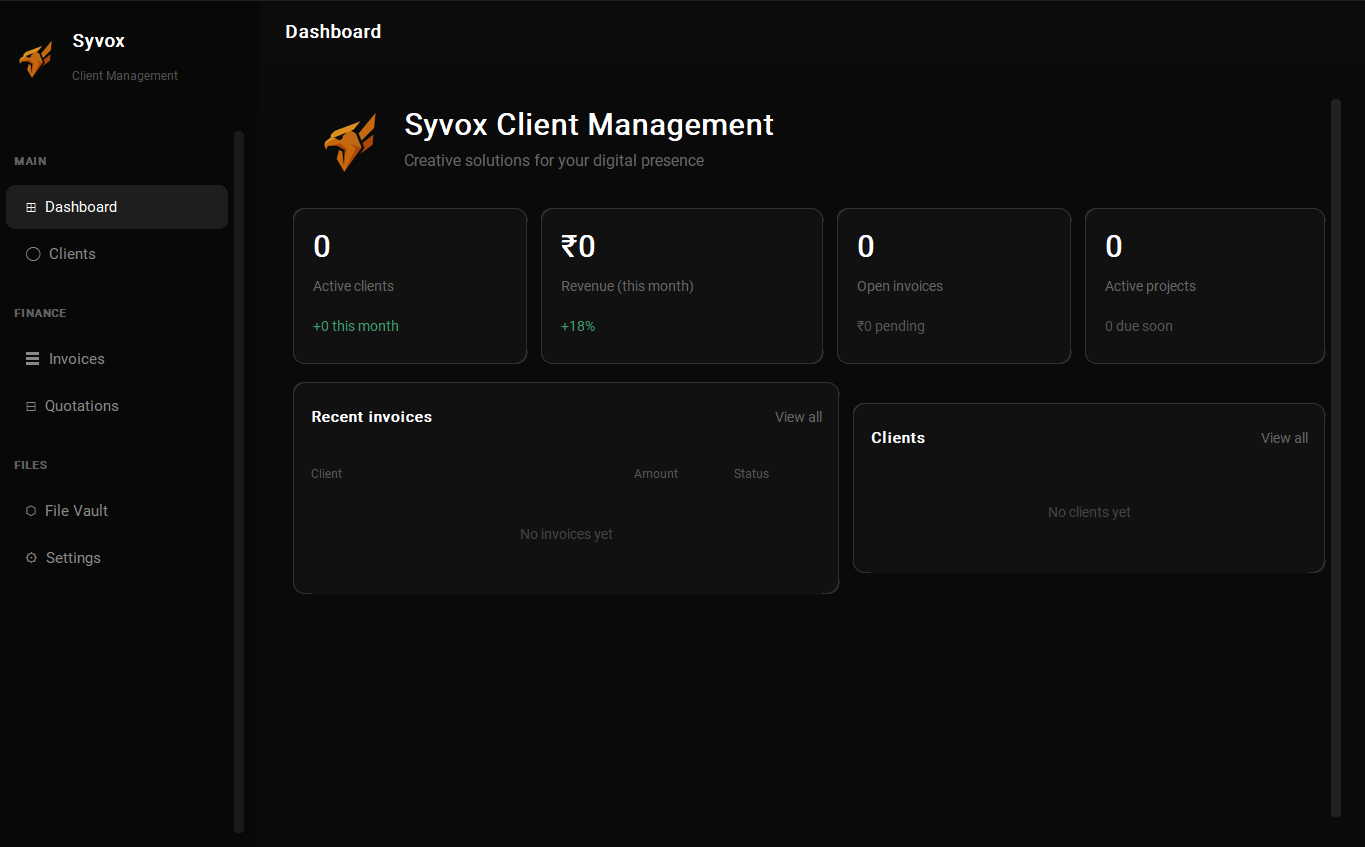
Syvox Desktop
Latest Version: 1.2.0
Everything you need,
nothing you don't.
Syvox is purpose-built for freelancers and small businesses who care about speed, privacy, and design.
Up and running
in minutes.
Everything you need
to master Syvox.
Welcome to Syvox
Syvox is designed to streamline your business workflow from day one. From tracking clients to generating professional invoices, here's what you can do out of the box.
- Professional dashboard with real-time financial overview
- Client management with full contact history
- Invoice creation with live preview and line-item editing
- Quotation system with professional PDF output
- Recurring invoice scheduling
- Custom PDF themes with logo and background support
- One-click Discord and email sharing
Installation Guide
Getting Syvox running on your Windows PC is straightforward. Follow these steps:
- Download the latest
.exeinstaller from the Download section above. - Locate the downloaded file in your Downloads folder and double-click to run it.
- If Windows SmartScreen appears, click "More Info" → "Run Anyway". Syvox is safe and unsigned for cost reasons.
- Follow the on-screen Syvox Setup Wizard. Accept defaults or choose a custom install path.
- Once complete, Syvox will launch automatically. A desktop shortcut is created for future use.
Data directory: C:\Users\[YourName]\AppData\Roaming\Syvox\
Uninstaller: Add/Remove Programs → Syvox
Managing Clients
The Client Manager is the foundation of Syvox. Every invoice and quotation links back to a client record.
- Navigate to the Clients tab from the left sidebar.
- Click Add New Client and fill in: Name, Email, Phone, GSTIN, and Address.
- Save the record. The client is now available when creating invoices.
- Click any client to view their full invoice history, total revenue, and payment status.
- Import clients via CSV — File → Import Clients
- Use the search bar to instantly find any client
- Archived clients are soft-deleted and recoverable
Creating Invoices
Syvox generates professional invoices in seconds with live previews and automatic calculations.
- Click + New Invoice from the Invoices tab or the top action bar.
- Select a client from the dropdown. Their details auto-populate.
- Add line items: Description, Quantity, Unit Price. Tax is calculated automatically based on your Settings.
- Review the live PDF preview in the right panel. Adjust as needed.
- Click Export PDF to generate and save, or Share to send via Email or Discord.
Settings & Preferences
Customize Syvox to perfectly match your business identity.
- Set your company name, address, GSTIN, and contact details
- Upload your company logo for invoices and quotations
- Choose PDF themes: colors, backgrounds, and layouts
- Set your default currency, tax rate, and invoice prefix
- Configure email templates for sharing documents
- Set up Discord webhook for one-click invoice sharing
- Backup and restore your local database
Frequently Asked Questions
%AppData%\Syvox\. Nothing is ever uploaded anywhere.Runs on almost anything.
Syvox is optimized to be lightweight. If your PC runs Windows 10, it runs Syvox.
What's new in Syvox.
Frequent updates with new features, performance improvements, and bug fixes.
Start invoicing like
a professional today.
Free forever. No account required. Just download and run.